
Core Concepts
Actions
Actions are the connection between your AI agents and your backend APIs. They enable agents to perform operations like fetching data, creating orders, or updating records by calling your existing endpoints.
What are Actions?
In Meebly, an "action" is usually your backend API endpoint that agents can call. When you create an action in the Meebly dashboard, you define:
- The operation name (what the action does)
- HTTP method (GET, POST, PUT, DELETE, PATCH)
- API path with parameter placeholders
- Input fields and their types
- System instructions for using the action
- Whether human approval is required (HITL)
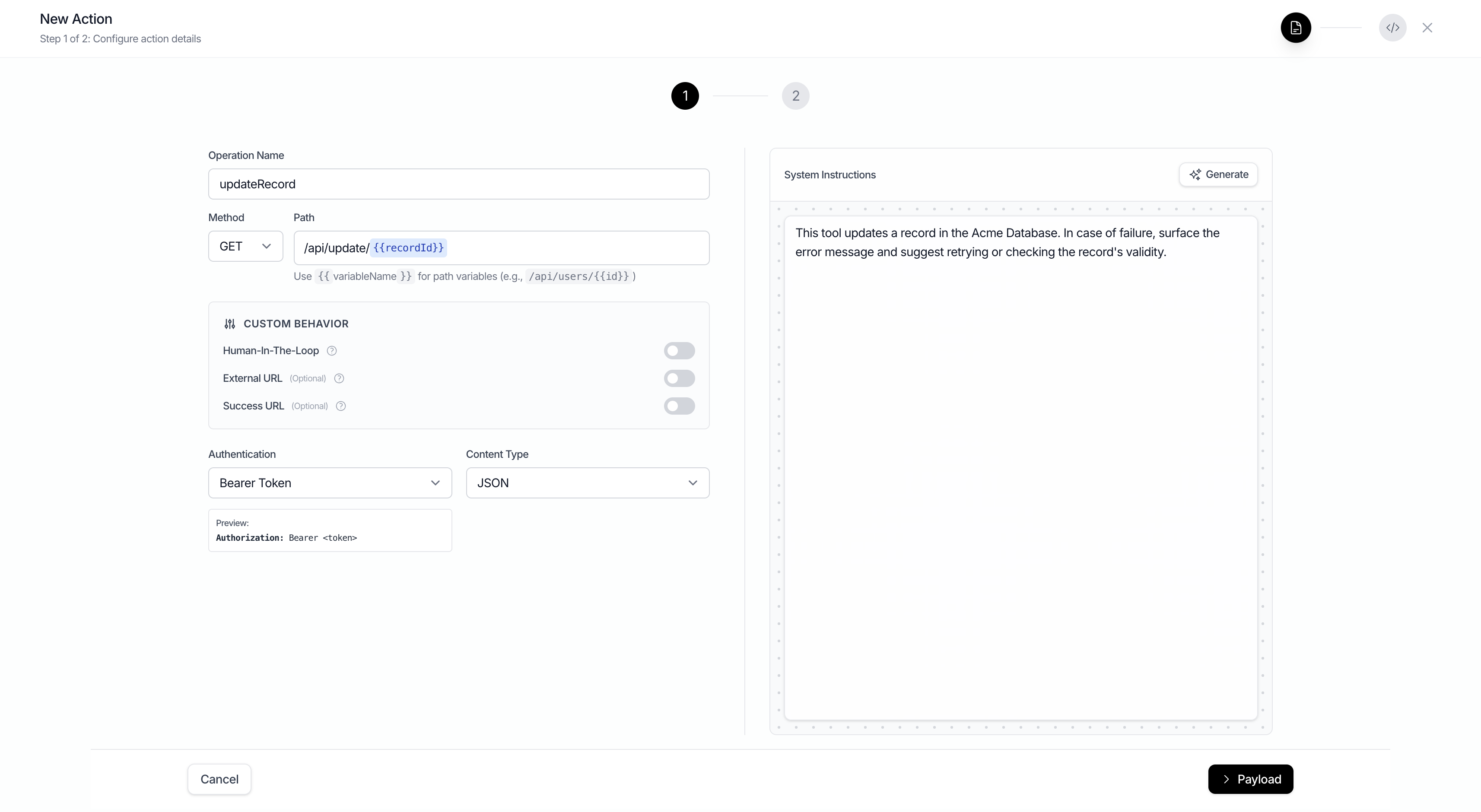
Action Configuration
Each action is configured with these properties:
| Property | Description | Example |
|---|---|---|
operationName | Name of the operation (used by AI) | getUserProfile, createOrder |
method | HTTP method | GET, POST, PUT, DELETE, PATCH |
path | API endpoint path | /api/users/{userId} |
systemInstructions | Context for when and how to use this action | "Use this to fetch user profile data" |
requestConfirmation | Require human approval before execution | true, false |
inputFields | Parameter definitions (name, type, description) | [{name: "userId", type: "string"}] |
How Agents Use Actions
When a user makes a request, the agent:
- Analyzes the user's intent
- Identifies relevant actions via semantic filtering
- Determines required parameters from context
- Requests approval if action has requestConfirmation=true
- Executes the API call with your backend token
- Processes the response and continues the conversation
// Example action call in SSE stream
{
  "type": "meebly-event",
  "event": {
    "type": "tool-call",
    "payload": {
      "toolCallId": "call_abc123",
      "toolName": "getUserProfile",
      "args": {
        "userId": "user_456"
      }
    }
  }
}
Testing Actions
To test an action in isolation, you can use the Sandbox page to chat with an agent that only has access to the new action you've created. This is ueful for verifying that the action is configured correctly before you add it to one of your agents.
Semantic Filtering
Agents don't call every action on every request. Meebly uses semantic filtering to automatically select only the relevant actions based on:
- The user's question or request
- Action names and system instructions
- Current conversation context
- Screen state (if using Screen Observer)