
Core Concepts
MCP Servers
MCP (Model Context Protocol) Servers enable your agents to connect to external systems and services through a standardized protocol. Unlike custom Actions, MCP Servers provide a plug-and-play architecture for common tools and services.
What are MCP Servers?
MCP Servers are standardized connectors that allow your AI agents to interact with external tools, databases, APIs, and services. They follow the Model Context Protocol specification, ensuring consistent behavior across different integrations.
Think of MCP Servers as pre-built, battle-tested integrations that you can instantly enable for your agents without writing custom API code.
🔧 Built-in Tools
File systems, databases, web scrapers, and development tools.
🔌 Plug & Play
No custom API development required. Enable and configure instantly.
📋 Standardized
Consistent interface across all MCP integrations and tools.
🔒 Secure
Built-in security controls and credential management.
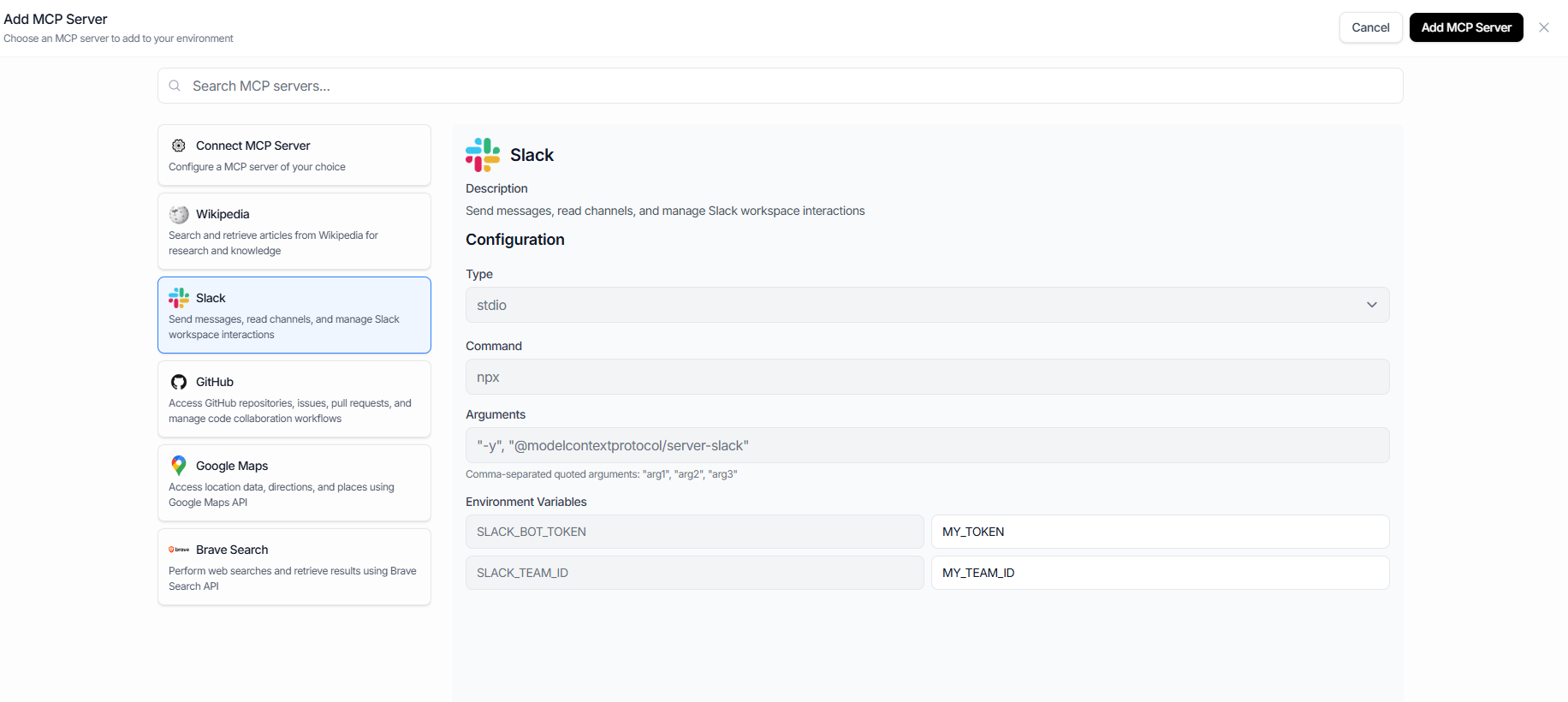
MCP Server Configuration
MCP Servers are configured in the Meebly dashboard through an intuitive interface. Each server type has its own configuration requirements:
Available MCP Servers
Configuration Steps
- Navigate to your environment in the Meebly dashboard
- Go to the "MCP Servers" section
- Click "Add MCP Server" and select the server type
- Configure the required settings (credentials, tokens, etc.)For custom MCP servers: Use the "Custom MCP Server" option and provide:
- Server command (e.g.,
npx) - Server arguments such as server name and any other relevant parameters
- Required environment variables
- Server command (e.g.,
- Enable the server for your agents
How Agents Use MCP Servers
When you enable MCP Servers for an agent, the server's capabilities automatically become available as tools the agent can use. The agent intelligently selects the right MCP tools based on the conversation context and user requests.
Example: Research Assistant Agent
- • Search Wikipedia for comprehensive AI overview
- • Use Brave Search for recent news and developments
- • Synthesize information into a coherent response